If you’ve ever stared at your phone or PC storage bar before hitting download on a new gacha game, you’re not alone. One of the most common questions new and returning players ask is how heavy is Honkai Star Rail, especially with frequent content drops adding new characters, maps, and story chapters every few months. Most players don’t realize that the base install size is only a fraction of what you’ll need long-term, and skipping optional downloads can save you tons of space without ruining your gameplay experience. I’ve tested installs across three different devices over the past year, so I’ll break down exactly what you can expect, plus easy hacks to cut down on extra bloat.
How Heavy is Honkai Star Rail Across All Supported Platforms
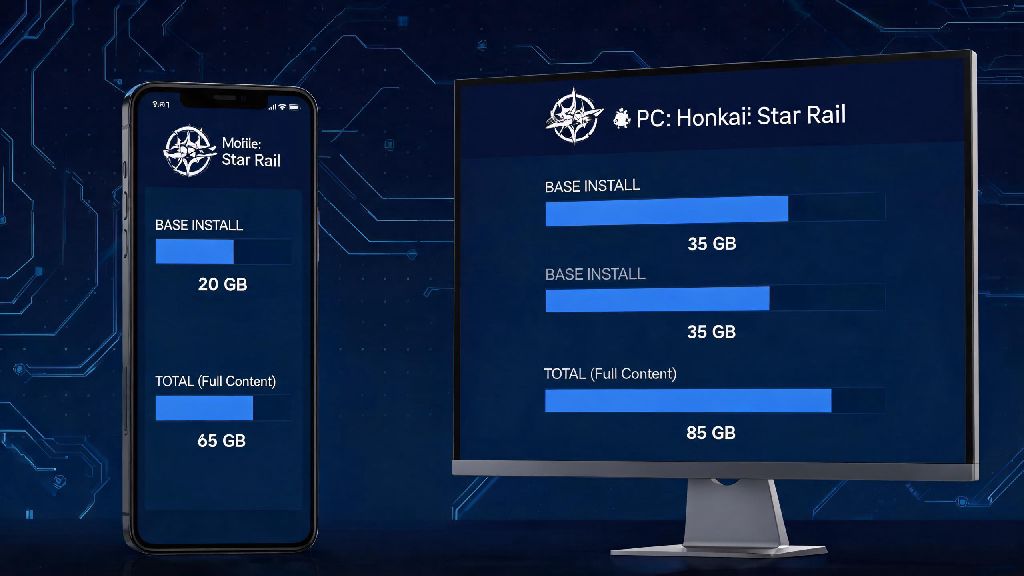
The total install size varies pretty widely depending on what device you use, and whether you choose to download optional content like extra voice packs or high-resolution textures. As of the latest major version update, the base install size for PC (both official launcher and Epic Games Store versions) sits at roughly 28GB, but that jumps to around 45GB if you install all four available voice packs and high-res texture options. The Epic and official launcher versions have no meaningful size difference, so you don’t have to pick one over the other for storage savings.
For mobile players, Android base installs start at around 12GB, with full optional content pushing that to 22GB. iOS installs are slightly smaller, with a 13GB base and 23GB full size, thanks to Apple’s more efficient native file compression. PS5 players can expect a 30GB base install, going up to 48GB with all optional content enabled, as the console’s built-in compression cuts down on some asset bulk. Always leave at least 10GB of free storage on your device before installing a new HSR update to avoid corrupted files or failed installs, even if the update itself is only 3-5GB large.
You might also notice that pre-install periods for new updates take up extra temporary space, usually 2-4GB, that gets cleared once the update goes live. That’s completely normal, and you don’t need to delete anything to make room for that temporary data if you already have the 10GB buffer we recommended earlier.
What Contributes to Honkai Star Rail’s Large File Size
If you’ve played other HoYoverse games like Genshin Impact, you already know their titles tend to grow in size pretty quickly with every update, and HSR is no exception. A big part of that size comes from the game’s high-quality animated cutscenes, which are rendered in full HD for all platforms and add up to several gigabytes of content on their own. Unlike many other mobile games, HSR doesn’t compress these cutscenes heavily, so you get the same visual quality on phone as you do on PC or console.
Voice packs make up nearly 40% of the total file size for most players, since the game supports four full voiceover languages (Chinese, Japanese, Korean, English) for every character line, cutscene, and interaction. Even if you only use one language, the default install for new players often includes all four packs unless you manually uncheck them during the first setup. High-resolution texture packs for PC and PS5 add another 6-8GB of size, though most players on 1080p screens won’t notice a huge visual difference between standard and high-res assets.
Another lesser-known contributor to file size is old event content. HoYoverse keeps all limited-time event assets stored in the game files even after the event ends, so you can go back and rewatch event stories, character interactions, and cutscenes in the in-game archive whenever you want. It’s a nice feature for players who care about story lore, but it adds 2-3GB of extra content every year that you can’t delete entirely without losing access to the archive.
Easy Ways to Reduce Honkai Star Rail’s Install Size Without Breaking Gameplay
You don’t have to sacrifice your favorite features to cut down on HSR’s storage footprint. HoYoverse added a built-in resource management tool a few updates ago that lets you pick and choose which content to keep installed, no full re-download required if you want to add content back later. I’ve used these tricks for months to keep my mobile install under 15GB without missing anything I care about, and they work across all platforms:
You don’t have to use all of these tips, even picking one or two will make a noticeable difference in your total install size. I personally only keep the Japanese voice pack installed and stream cutscenes, and my total Android install size sits at 14GB, which is way less than the full 22GB maximum. You won’t lose any progression or unlocks when you delete optional game resources, since all your account data is stored on HoYoverse’s servers, not your local device.
Common Storage Issues Players Face With Honkai Star Rail (And How to Fix Them)
Even if you have enough storage for the base install, you might run into random storage-related errors when installing updates or launching the game. One of the most common complaints I see from players is that the game asks for way more free space than the update size itself, sometimes 2-3 times the total install size. That happens because the launcher needs temporary space to unpack and replace old game files during the update process, and it gets cleared automatically once the update is done. If you run into this issue on PC, you can move the game folder to a different drive with more space, or clear old temporary update files from the launcher’s cache folder.
Another common issue is corrupted game files after an update, which usually happens if your device ran out of storage mid-install. You don’t have to delete and redownload the whole game to fix this, though. Verifying game files through the official launcher only takes 5-10 minutes and fixes 90% of post-update storage or crash issues, since it only replaces corrupted or missing files instead of redownloading the entire game.
Mobile players often run into storage errors even when they have enough space listed in their device settings, which usually happens because of system reserved storage on Android or iOS. Your device sets aside a few gigabytes of storage for system updates and app cache, so if you only have exactly the required install size free, the game won’t be able to write new files. Just leave an extra 5GB buffer on your mobile device and that issue will go away entirely. Never download HSR from third-party websites, as these versions often have extra bloat or malware that takes up more space and puts your account at risk of being banned.
At the end of the day, the exact answer for how heavy is Honkai Star Rail depends on what platform you play on and how much optional content you choose to install. You don’t need a top-tier device with terabytes of storage to enjoy the game, even if you play every new update as soon as it drops. A little bit of regular resource cleanup every few months is all you need to keep the game running smoothly without sacrificing any of the features you care about. If you’re still running into storage issues after trying the tips above, you can always reach out to HoYoverse support for help with platform-specific file management steps.