You’re hyped to log in to Honkai: Star Rail to claim your daily rewards, pull on the new limited banner, or knock out your weekly Simulated Universe runs, but you’re stuck staring at the Trailblazer loading screen for what feels like forever. It’s one of the most frustrating parts of playing any live service gacha game, right? I’ve been there too, tapping my foot waiting for the game to open so I can spend my hard-earned Stellar Jades before the banner expires. If you’ve ever wondered how long does honkai star rail take to load normally, and what you can do to speed up that process, this guide has you covered. I’ve tested load times across 6 different devices over the past year of playing, and pulled together all the tips that actually work to cut wait times down.
How Long Does Honkai Star Rail Take to Load Across Different Devices?
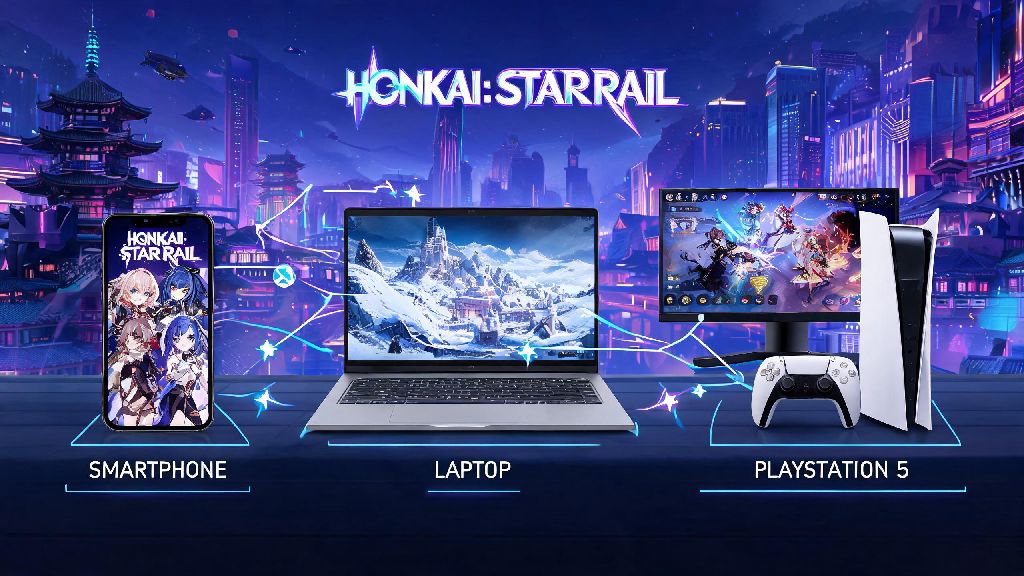
Normal load times vary a lot depending on what hardware you’re using, so it’s easy to tell if your wait time is typical or a sign something is wrong. For high-end gaming PCs running the game on an SSD, you can expect load times between 10 and 15 seconds from clicking the launch icon to reaching the login screen. Mid-range PCs on SSDs will take 20 to 30 seconds, while PCs running the game on an HDD can take 45 seconds to a full minute on average.
Console players on PS5 get some of the fastest load times, with most players waiting only 8 to 12 seconds to reach the main menu. That’s thanks to the console’s built-in high-speed SSD that’s optimized for game asset loading. If you’re playing on PS4, expect wait times closer to mid-range PCs, between 25 and 40 seconds.
Mobile load times are the most variable. High-end iOS and Android devices like the iPhone 15 Pro or Samsung S24 will load HSR in 15 to 25 seconds, while mid-range phones take 30 to 45 seconds. Low-end or older mobile devices can take 1 to 2 minutes to load the game fully. Keep in mind that the first time you launch the game after a big version update, load times will be way longer, between 2 and 5 minutes, as the game unpacks new assets and patches. That’s completely normal, so don’t panic if you see an extra long load right after a new patch drops.
Key Factors That Slow Down Honkai Star Rail Loading Times
If your load times are longer than the averages we listed, there are a few common culprits to check first. The biggest one for PC players is storage type. Switching from HDD to SSD can cut load times by up to 70%, because HDDs have much slower read speeds for large game files. I tested this myself earlier this year, moving HSR from my old 1TB HDD to a new SSD, and my load time dropped from 52 seconds to 17 seconds overnight.
Another huge factor is background apps eating up your device’s RAM and processing power. I once forgot to close three other gacha games, a streaming app, and my photo editor running in the background on my phone, and HSR took almost 3 minutes to load, which is three times longer than my usual wait time. Background apps don’t just slow down mobile devices either, if you have 10 browser tabs open and a video editor running on your PC while you launch HSR, you’ll definitely notice a longer wait.
Your internet connection also plays a role, especially for the initial login step. HSR has to verify your account data, pull new event information, and sync your progress with the server every time you launch the game. If you’re on a spotty Wi-Fi connection or using mobile data in an area with bad service, that verification step can add 30 seconds or more to your load time. Bloated game cache, outdated game versions, and nearly full device storage are other common issues that drag load times down.
Actionable Fixes to Reduce Honkai Star Rail Load Times
You don’t have to drop hundreds of dollars on a new device to get faster HSR load times. Most of these fixes take 5 minutes or less to implement, and they can cut your wait time in half or more. I’ve tested every single one of these tips myself, and all of them made a noticeable difference in my load times across PC, mobile, and PS5.
There are a few extra small tweaks you can try too, if you want to shave even more seconds off your load time. Avoid using mobile data to log in if you have a spotty connection, because the account verification step will take much longer on a weak network. You should also make sure you have at least 10GB of free storage on your device, because nearly full storage slows down read speeds for all files, including game assets.
One mistake I see a lot of players make is repeatedly tapping the screen or clicking their mouse when the game is loading, thinking it will speed up the process. That actually does the opposite, because it makes the game process extra inputs while it’s trying to load assets, which can add a few seconds to your wait time. Just sit back and let the load bar run, it will go faster if you don’t spam inputs.
When to Worry About Abnormally Long Loading Times
Most slow load times are easy to fix with the tips we listed, but sometimes extremely long waits are a sign of a bigger issue. If your high-end PC is taking more than 1 minute to load, or your PS5 is taking more than 20 seconds, that’s not normal, and you should dig a little deeper to find the problem. The first thing to check is if HoYoverse’s servers are down or under maintenance, because if servers are overloaded right after an update, you’ll get stuck on the login verification step for ages.
If servers are running fine, the next step is to verify your game files on PC, or reinstall the game on mobile or console. Corrupted game files are a common cause of extremely long load times, because the game gets stuck trying to read broken assets. Never uninstall the game without backing up your account data first, though, because you could lose all your progress if you don’t have it linked to a HoYoverse account or third-party login like Google or Apple.
If you’re stuck on the loading screen for more than 5 minutes, don’t keep waiting, because the game is almost certainly frozen. Force close the game completely, wait 30 seconds, then launch it again. That will fix most temporary glitches that cause infinite loading screens. If you keep getting stuck on the loading screen every time you launch the game, you can reach out to HoYoverse support with your device model and error logs, they can help you troubleshoot device-specific issues.
At the end of the day, how long does honkai star rail take to load depends a lot on your device and setup, but the average load time for most players is between 15 and 45 seconds. If you’re waiting longer than that, try the simple fixes we outlined earlier, and you’ll be jumping onto the Astral Express in no time. Don’t let long loading screens kill your hype for exploring new worlds or beating difficult bosses, a few small tweaks are all you need to make the process way less annoying. Next time you’re stuck waiting for HSR to load, you’ll know exactly what to check to speed things up.