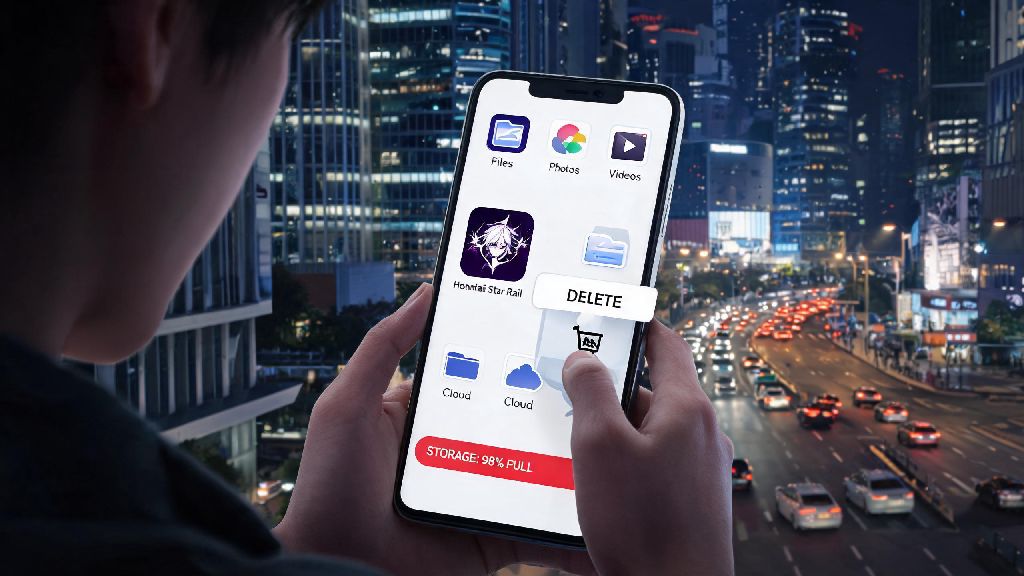
There’s nothing more frustrating than settling in to download a highly anticipated gacha update, only to get a pop-up telling you your phone is out of storage. If you’re a new or returning Honkai Star Rail player double-checking your available space before hitting install, you’ve probably asked how many gigabytes is honkai star rail mobile at some point. I’ve been there too, scrolling through old photos and unused apps to clear space right before a new version drops, so I’ve pulled together all the latest storage numbers and tips to make the process easier for you. This guide covers exact sizes for both operating systems, factors that can make the game bigger on your device, and simple fixes for common storage headaches.
Exact Honkai Star Rail Mobile Storage Requirements By OS
The first thing to know is that the listed download size you see on the App Store or Google Play Store isn’t the final size you’ll need to allocate for the game. The initial download only includes core game files, and you’ll have to download extra resource packs, story content, and optional voice files once you open the game for the first time. I tested the latest version on both a 2022 iPhone 14 and a mid-range Android device last month to get the most accurate numbers.
iOS initial download size: 6.2 GB. This is the size you’ll see listed on the App Store, and it’s the amount of data you’ll download over wi-fi or cellular before you can open the game. Once you launch it, you’ll be prompted to download an extra 3-4 GB of basic resource files to get through the tutorial and early story content.
Android initial download size: 5.8 GB. The slightly smaller size on Android comes down to compressed file formats used on the Google Play Store. Just like with iOS, you’ll need to download an extra 3-4 GB of basic resources after you open the app for the first time. If you have a lower-end Android device, you’ll get the option to download lower-resolution textures to cut this extra size by about 1 GB.
Full installed size with all voice packs: 12-15 GB. If you choose to download all four available voice language packs (Chinese, Japanese, Korean, and English) and keep HD textures enabled, your final installed size will land at the higher end of this range. Players who only keep one voice pack and use standard textures can expect a final size of around 10-11 GB.
Factors That Change How Many Gigabytes Is Honkai Star Rail Mobile For Your Device
No two players will have the exact same Honkai Star Rail storage size, and that’s totally normal. A lot of personal choices and usage habits affect how much space the game takes up on your phone over time. I’ve seen the same version of the game take up 9 GB on my friend’s budget Android and 16 GB on my iPad, and the differences all come down to the factors listed below.
That last factor is one most players forget about. Each version update adds between 1-3 GB of new content, and old temporary files aren’t always removed automatically. If you’ve been playing for a year or more without clearing your cache, it’s not unusual for the game to take up 2-3 GB more space than the listed full install size.
Practical Tips to Reduce Honkai Star Rail Mobile Storage Usage
You don’t have to delete all your other apps or favorite photos to make space for Honkai Star Rail. There are simple, safe changes you can make to cut down the game’s storage size without losing your progress or ruining your gameplay experience. I use these tips every few months to free up space before big version updates, and they’ve never caused any issues with my account.
First, delete unused voice language packs from the game’s settings. Most players only use one or two voice languages, so you can safely delete the other two to free up 2-3 GB of space right away. You can find this option under Settings > Resource Management > Voice Pack Management, and you can re-download deleted packs at any time if you change your mind later.
Next, clear your temporary game cache every 2-3 months, or right after a big version update. The game has a built-in cache clear option in the settings menu that deletes old event files, temporary login data, and unused assets without touching your saved progress or core game files. This usually frees up 1-2 GB of space instantly, and it only takes 10 seconds to run.
Always leave at least 5 GB of extra free space on your phone before you download a new version update. The update file itself might only be 2 GB, but your phone needs extra temporary space to unzip and install the new files. If you only have exactly 2 GB free, you’ll almost always get an installation error because there’s not enough room for the temporary files.
If you’re really tight on space, you can also turn off HD textures in the graphics settings. The difference in visual quality is barely noticeable on smaller phone screens, and it will cut your total storage usage by about 1 GB. Just don’t delete any game files directly from your phone’s file manager, because you might accidentally delete core resources and have to re-download the entire game.
Common Storage-Related Issues For Honkai Star Rail Mobile (And Fixes)
Even if you check the storage requirements ahead of time, you might run into common issues when installing or updating the game. These issues are almost always easy to fix, and you don’t have to contact support or reset your phone to solve them. I’ve run into every single one of these issues at least once, so I can confirm these fixes work.
The most common issue is getting a “not enough storage” error when you have more than the listed required space free. This happens because your phone needs temporary space to unzip the download file, as I mentioned earlier. If you get this error, try clearing your phone’s general cache, deleting a few unused apps, or moving old photos to cloud storage to free up an extra 2-3 GB, then try the download again.
Another common issue is the game’s size increasing suddenly after an update. This is usually because old temporary files from the previous version are still stored on your device. Run the built-in cache clear tool in the game’s settings, and the extra space will be freed up almost immediately. You don’t need to re-install the game to fix this, even if the size jump is 2 GB or more.
Never move the game’s core files to an external SD card, even if your Android device gives you the option to do so. Moving the files to an SD card will cause much longer load times, random crashes during combat, and can even corrupt your save data if the SD card gets disconnected or corrupted. It’s always better to free up space on your phone’s internal storage instead of using an SD card for game files.
If you’re still having storage issues after trying all these fixes, you can try re-installing the game entirely. Make sure your account is linked to a HoYoverse account first, so you don’t lose your progress. A fresh install will delete all old cache and unused files, and you’ll only download the latest core resources, which usually cuts the total size by 2-3 GB compared to an old install that’s been updated multiple times.
At the end of the day, managing storage for your favorite gacha games doesn’t have to be a huge hassle. Knowing how many gigabytes is honkai star rail mobile for your specific device and usage habits lets you plan ahead, so you don’t have to scramble to delete files right before a big update drops. With the simple tips and fixes in this guide, you can keep your storage usage under control and spend less time managing files and more time pulling for your favorite 5-star characters or clearing new story chapters.