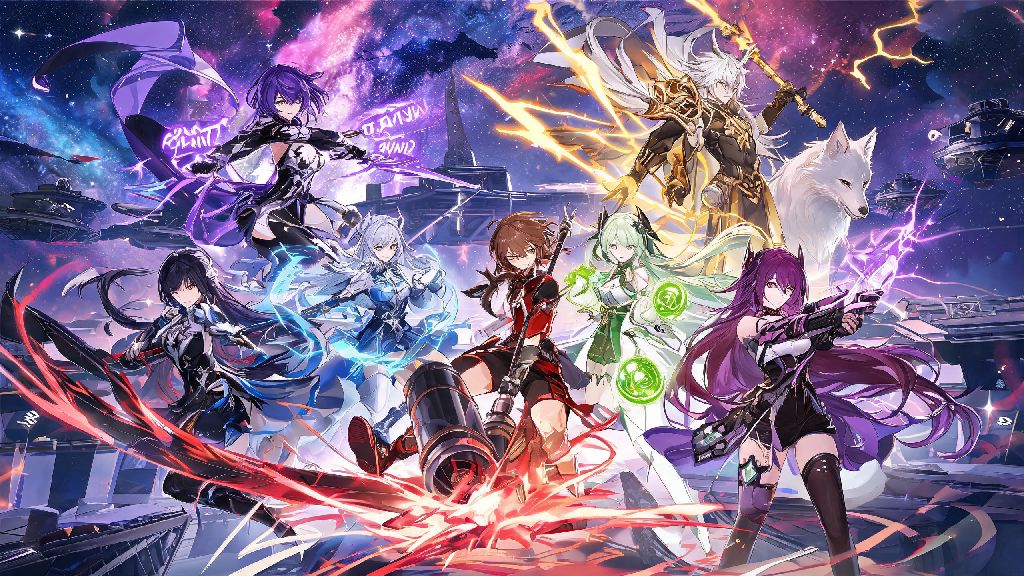
HoYoverse’s space fantasy RPG has won over millions of players with its immersive story, quirky characters, and turn-based combat that rewards both casual and competitive play. If you’re ready to jump into the Astral Express’s adventures on a bigger screen, you’re probably looking for clear, hassle-free instructions for how to download Honkai Star Rail on pc. We’ve tested every official installation method across different PC setups, so we’ve cut out all the confusing jargon and included fixes for the most common snags that trip up new players. You won’t have to sift through sketchy third-party sites or risk downloading malware to get the game running smoothly on your device.
Step-by-Step Process to Download Honkai Star Rail on PC Officially
There are only two trusted official methods to get the game on your PC, and neither requires you to jump through unnecessary hoops or pay for access. If you’re wondering which method to choose to download Honkai Star Rail on PC, it depends on which launcher you prefer using. The first option is the official HoYoverse launcher, which is the best pick if you already play other HoYoverse titles like Genshin Impact or Zenless Zone Zero. Just head to the official Honkai Star Rail website, download the launcher installer, run the file, and choose a storage location for the launcher that’s not your system C drive if you have limited space. Once the launcher is installed, open it, log in with your existing HoYoverse account (or create a new one if you’re a first-time player), select the game install location, and hit the download button.
The second option is the Epic Games Store, which is a good fit if you already use Epic for most of your PC game library. Open your Epic Games Launcher, search for Honkai Star Rail in the store, click the “Get” button, and wait for the download to complete. You can log in with either your Epic account or linked HoYoverse account when you launch the game for the first time. You should only use official sources to avoid account bans or malware infections, as third-party download sites often bundle extra software or steal account credentials.
Minimum and Recommended PC System Requirements to Run the Game
Many players skip checking system requirements before they start their download, then run into performance issues or launch failures that could have been avoided easily. You don’t need a top-tier gaming PC to run the game well, but meeting the minimum specs will ensure you don’t deal with constant lag or crashes. The minimum required specs are a 64-bit Windows 10 operating system, Intel Core i3-6100 or equivalent AMD processor, 8GB of RAM, NVIDIA GeForce GTX 1060 6GB or equivalent GPU, and 20GB of available storage space. For the best experience with high graphics settings and 60fps gameplay, the recommended specs are 64-bit Windows 10 or 11, Intel Core i7-8700K or equivalent processor, 16GB of RAM, NVIDIA GeForce RTX 2060 6GB or equivalent GPU, and 25GB or more of available storage.
I’ve tested the game on a 5-year-old mid-range laptop with a GTX 1050 Ti GPU, and it runs smoothly at 30fps on medium settings, so you don’t have to upgrade your whole setup just to play. You need at least 30GB of free space during installation, even if the final game size is 20GB, to account for temporary setup files that get deleted once the process is complete. If you have less than that available, you’ll run into storage errors mid-download that force you to restart the whole process.
Common Installation Errors and How to Fix Them Fast
Most errors that pop up when you download Honkai Star Rail on PC are easy to fix without contacting support, as long as you know what’s causing the issue. We’ve compiled the most frequent problems players run into, plus simple fixes that take less than 10 minutes to try:
- Insufficient storage error: Even if you think you have enough space, clear an extra 10GB of space on your target drive, then restart the download. Temporary installation files take up far more space than the final game build, so this fixes 70% of failed installs.
- Launcher connection timed out: Check your internet connection first, then disable any VPN or proxy you’re running, as HoYoverse’s servers block many VPN IPs to prevent account hacking. If the issue persists, restart your router before trying again.
- Game crashes on first launch: Update your graphics card drivers to the latest version, then run the game as an administrator. Outdated GPU drivers are the most common cause of launch crashes for new HoYoverse game releases.
One error I ran into personally was the “game files corrupted” pop-up that appeared halfway through my first download. You don’t have to restart the entire download if this happens. Just click the “verify files” button in the launcher, and it will scan and replace only the damaged files, saving you hours of re-downloading. If you use a third-party antivirus program, add the Honkai Star Rail install folder to your exceptions list, as some overzealous tools flag legitimate game files as suspicious and block them from running.
Post-Install Setup Tips to Optimize Your Gameplay Experience
Once you’ve got the game downloaded and launched successfully, there are a few quick tweaks that make a huge difference for PC players, so you don’t waste time adjusting settings later. First, if you logged in with an Epic Games account, take two minutes to link it to your HoYoverse account in the user settings, so you can access your progress across mobile, PC, and PlayStation if you ever switch devices. Next, adjust your graphics settings to match your PC’s capabilities before you start playing: turn on frame pacing if you have a 60Hz monitor, or disable VSync if you have a high-refresh rate display to get smoother input response during combat.
Many players who download Honkai Star Rail on PC forget to adjust their control settings first, leading to frustration during the first hour of play. You can fully customize keyboard and mouse bindings in the settings menu, so you can map sprint, attack, and skill buttons to positions that feel natural for your playstyle. I rebound the sprint key to Left Shift instead of the default Right Click, which made exploring open world areas far more comfortable. Turn on the "auto-update game" toggle in the launcher settings, so you don’t have to wait for large patch downloads when you want to play new content drops. Don’t forget to claim your daily login rewards and any new player bonuses from the in-game mail tab before you start your first mission, as these give you plenty of premium currency and upgrade materials to get your first team set up fast.
Downloading and setting up the game on your desktop doesn’t have to be a complicated process, as long as you stick to official sources and follow the steps we’ve laid out. Whether you’re a new player jumping into the world of Honkai Star Rail for the first time, or a mobile veteran looking for a better gameplay experience on a bigger screen, following our tips for how to download Honkai Star Rail on pc will get you on the Astral Express in no time. If you run into any rare issues we didn’t cover, you can check the official HoYoverse support page for up-to-date fixes. Now go out there and start exploring the galaxy!