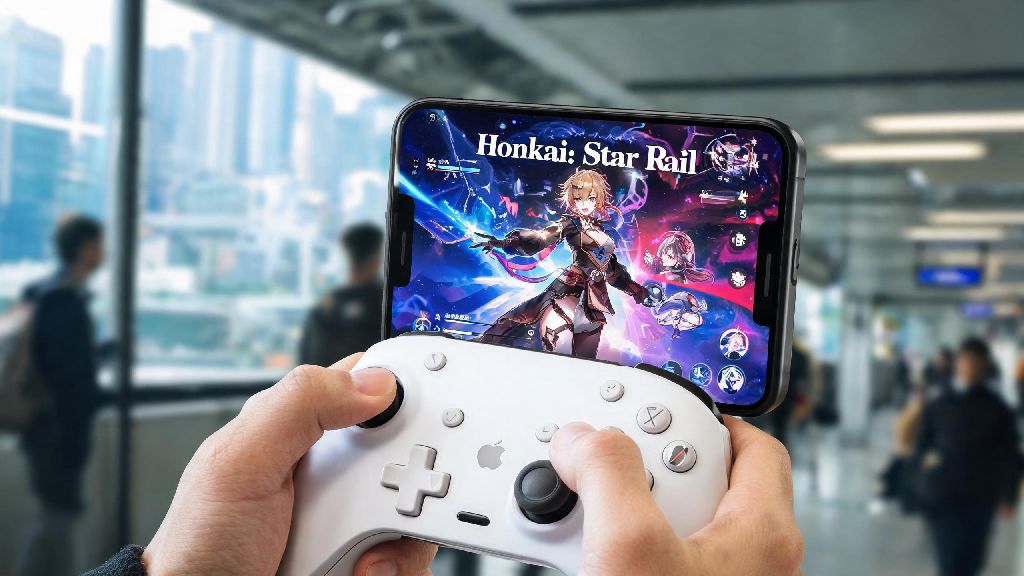
If you’re like most Honkai: Star Rail players, you probably jump between devices depending on where you are: knocking out daily commissions on your phone during your morning commute, then switching to your PC or PlayStation for longer Simulated Universe runs when you get home. Nothing kills that flow faster than realizing you have to start over from scratch on a new device, which is exactly why knowing how to link account honkai star rail is one of the first tasks every new player should prioritize. A lot of players put this step off until they’ve already sunk dozens of hours into pulling for their favorite 5-stars and clearing story chapters, and end up losing all that progress if their device breaks or they accidentally uninstall the game. This guide walks you through every part of the linking process, covers common mistakes to avoid, and fixes the most frequent errors players run into so you don’t have to deal with that headache.
Step-by-Step Guide to How to Link Account Honkai Star Rail Across Platforms
The linking process is straightforward once you know where to look, and it only takes 3 to 5 minutes to complete if you have all your details ready. First, all cross-platform progression runs through a HoYoverse account, so you’ll need to make one if you haven’t already. Use an email address you check regularly, since you’ll need to verify it to access all account features.
If you started playing on mobile first, open the game and tap the profile icon in the top left corner of the main screen. From there, select Account Management from the side menu, then choose the option to link a HoYoverse account. Enter your login details, confirm the verification code sent to your email, and your mobile save will be tied to that account immediately. If you started on PC, you’ll log in with your HoYoverse account directly when you first launch the game, so linking is automatic from the start.
For PlayStation players, the process is slightly different. Launch Honkai: Star Rail on your PS device, open the settings menu, and navigate to the Account tab. Select “Link HoYoverse Account”, enter your login details, and confirm. Note that if you already started playing on PS before linking, that save will stay tied to your PSN account and can’t be merged with an existing mobile/PC save. Before you start linking, make sure you have all of these prerequisites covered to avoid issues:
- A verified HoYoverse account with access to the registered email address
- Your existing HSR save file on your primary device that you want to carry over
- No active restrictions or bans on your HSR or HoYoverse account
- Stable internet connection to avoid interruptions during the linking process
If you’re still confused about how to link account honkai star rail after following these steps, you can find official video tutorials on the HoYoverse help center for visual guidance.
Common Mistakes to Avoid When Linking Your HSR Account
Most linking issues happen because players skip small but important details before they start the process. The most common mistake new players make is using a temporary or throwaway email for their HoYoverse account. If you lose access to that email later, you won’t be able to reset your password, recover your account if you get locked out, or verify ownership for support requests. Always use a permanent, regularly checked email for your HoYoverse account to avoid this issue entirely.
Another frequent mistake is trying to merge two separate existing saves. A lot of players start playing on a new device first, make some progress, then try to link their old save to that device later. You cannot merge two separate existing HSR saves, so if you want to carry over your progress to a new device, you have to link your HoYoverse account before you start playing on that new device. If you already made a new save by accident, just log out of that account and log into your linked one to access your original progress.
Many players also forget that HSR saves are tied to specific servers. If your original save is on the America server, you can’t log into the Europe server on a new device and access that progress, even if you’re using the same HoYoverse account. HSR account progress is tied to your selected server, so make sure you pick the same server on all devices when you log in. You also never want to share your account password or verification codes with anyone, even if they claim to be HoYoverse support — official staff will never ask for that information.
How to Fix Common HSR Account Linking Errors
Even if you follow all the steps correctly, you might run into the occasional error when linking your account. The most common one is the “Account already linked” message, which pops up when you try to link a HoYoverse account that’s already tied to another save on that platform. The fix here is simple: log out of the existing linked account first, then log into the one you want to use. If you don’t remember the login details for the existing linked account, you can submit a support ticket to HoYoverse with proof of ownership for the account you want to use, like purchase receipts, your first 5-star character, or your account creation date.
The second most common error is “Link failed due to network error”. This almost always happens because of a spotty internet connection, so switch from mobile data to wifi if you can, restart your game and device, then try again. If the error keeps happening, check if HoYoverse servers are down for scheduled maintenance — this is a common issue on update days when servers are overloaded with players logging in at the same time. Wait an hour or two, then try linking again once server traffic calms down.
If you get a “Server mismatch” error when logging in, that means you selected the wrong server on your new device. Go back to the login screen, open the server selection menu, and pick the same server your original save is on. Always double check your selected server before logging in on a new device to avoid mismatch errors. For PlayStation players, if linking fails repeatedly, make sure your PSN account region matches your HoYoverse account region — cross-region linking is not supported for PlayStation accounts.
Key Benefits of Linking Your Honkai Star Rail Account
Linking your account isn’t just for cross-platform play — it comes with a bunch of other perks that make the 5 minutes spent on the process well worth it. First and foremost, it creates a secure backup of all your progress. If your phone breaks, you lose your device, or you accidentally uninstall the game, you can log into your HoYoverse account on any device and pick up right where you left off, no lost pulls, no lost event rewards, no lost progress on story chapters. That peace of mind alone makes linking worth doing as soon as you start playing.
Cross-progression also lets you play in whatever way is most comfortable for you. You can grind your daily tasks on your phone when you’re out and about, then switch to your PC or PlayStation for harder content like Forgotten Hall runs or new story updates, where you get better graphics and more precise controls. You don’t have to be tied to one device to play the game, which is a huge plus for players with busy schedules.
Your linked HoYoverse account also works for all other HoYoverse games, including Genshin Impact and Zenless Zone Zero, so you don’t have to make separate accounts for each game you play. Linked accounts also get priority access to HoYoverse customer support if you run into any issues down the line, which means faster response times if you need help recovering your account or fixing a bug.
Linking your account is a small, simple task that can save you hours of frustration down the line, and it’s something every player should do as soon as they start playing seriously. Whether you’re switching devices for the first time or just want to make sure your progress is safely backed up, knowing how to link account honkai star rail is a basic skill that makes your entire play experience much smoother. If you run into any unique issues we didn’t cover here, you can always reach out to HoYoverse’s official support team with your account details for personalized help. Don’t wait until you lose your save to sort out your account linking — take 5 minutes to do it today, so you can focus on what matters: pulling for your favorite characters and exploring the latest updates to the game.