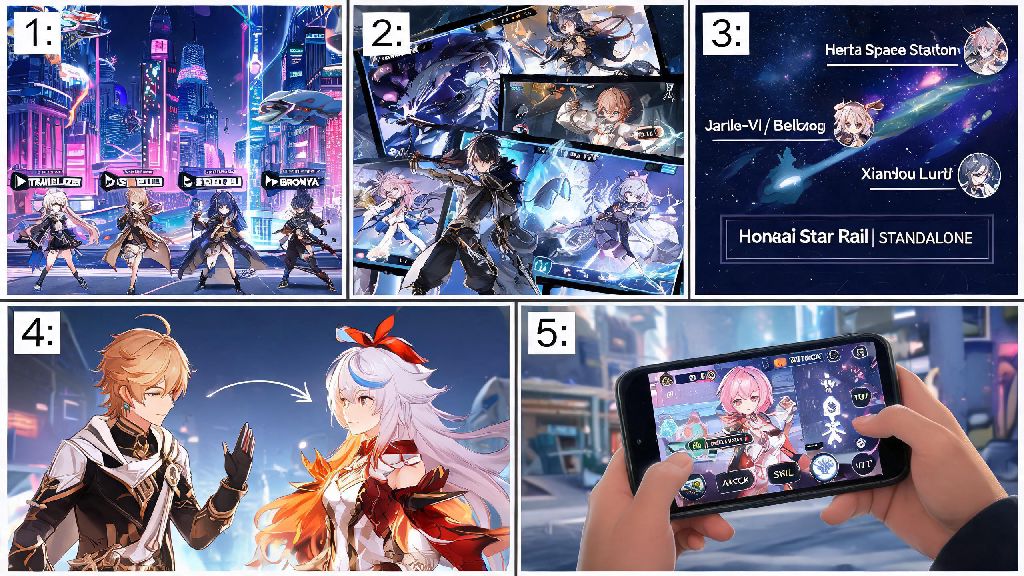
Have you ever switched to a new phone, tried to log into Honkai Star Rail, and panicked when all your 5-star characters and progress seemed to vanish? Or tried to claim a free 10-pull reward from HoYolab only to get a notification that your account isn’t linked? You’re not alone. Thousands of players run into these issues every week, and the fix is simpler than you think. Learning how to link honkai star rail account to hoyolab solves all these problems, plus unlocks a ton of extra perks you probably didn’t even know existed. I’ve helped dozens of friends and community members walk through this process over the past year, and most people finish it in less than 2 minutes once they know the right steps.
Step-by-Step Process to Link Honkai Star Rail Account to HoYolab
The process works slightly different depending on what device you’re playing on, but the core steps are the same across PC, mobile, and PS5. First, make sure you have an active HoYolab account already registered. You can make one for free on the HoYolab website or mobile app if you don’t have one yet, using your email, phone number, or social media login.
If you’re playing on mobile or PC, open Honkai Star Rail and head to the main menu. Tap the user icon in the top left corner of the screen, then select “User Center” from the dropdown menu. You’ll see an option that says “Link HoYolab Account” right near the top of the page. Tap that, enter your HoYolab login credentials, and hit confirm. You’ll get a pop-up notification that the link was successful if everything went right. Make sure you’re logged into the correct HoYolab account before you confirm, because unlinking later requires contacting customer support and can take up to 3 business days.
For PS5 players, the process is a little different. You’ll need to open the HoYolab app on your phone first, head to the account linking section, select “Link PSN Account”, and follow the prompts to log into your PlayStation Network account that’s tied to your Honkai Star Rail save. Once you confirm that link, your PS5 progress will automatically sync to your HoYolab account, and you can log into that same HoYolab account on mobile or PC to pick up where you left off on console. I ran into a small hiccup when I did this myself last year, because I was logged into the wrong PSN account on my phone browser, so double check that detail before you confirm.
Key Benefits of Linking Your HSR Account to HoYolab
You might be wondering if it’s even worth taking the time to link your accounts, especially if you only play on one device and don’t care about community features. But the perks far outweigh the tiny amount of time it takes to finish the process. For starters, you get full cross-platform progress sync, which means you can play on your PC during your lunch break, pick up your phone to grind a few stamina runs on the commute home, and then switch to your PS5 to play on the big screen at night, without losing any progress at all. Cross-platform sync is easily the most requested feature from HSR players, and linking your HoYolab account is the only way to access it.
You also get access to exclusive HoYolab rewards that you can’t get anywhere else. The monthly check-in event gives you free Stellar Jades, credit, ascension materials, and even fuel every single month, no extra work required. You just open the HoYolab app once a day and tap the check-in button. Regular players can earn over 600 free Stellar Jades a year just from the daily check-in event alone, which is almost enough for 4 extra pulls on limited character banners. There are also frequent community events, like fan art contests and quiz events, that give out even more rewards, including limited edition in-game name cards and real-world merch.
Another huge benefit is account security. If your device ever gets lost, stolen, or broken, you can easily recover all your game progress just by logging into your HoYolab account on a new device. Without a linked HoYolab account, you might lose all your progress permanently if something happens to your device, and customer support might not be able to help you recover it if you don’t have proof of ownership. Linking your account also lets you enable two-factor authentication, which adds an extra layer of security to stop hackers from accessing your account.
Common Errors to Avoid When Linking Your Accounts
Most people can link their accounts without any issues, but there are a few common errors that pop up for about 10% of players, based on what I’ve seen in community forums and help threads. Most of these errors are easy to fix once you know what’s causing them, so you don’t have to panic if you run into a problem. I’ve listed the three most common issues and their fixes below:
- “Account already linked” error: This happens if your HoYolab ID is already associated with another HSR account. You can only link one HSR account per HoYolab account, so you’ll need to either use a different HoYolab ID or unlink the old account first if you no longer use it. Keep in mind that unlinking an account can take up to 3 business days, and you’ll need to provide proof of ownership to customer support to do it.
- Region mismatch notification: Your HoYolab account region has to match the region you selected when you first created your HSR account. If you picked the American server for HSR, you can’t link it to a HoYolab account registered to the European region, for example. You can check your HSR server region in the user center menu, and your HoYolab region in your HoYolab account settings.
- Login credentials not recognized: Double check that you’re entering the correct email or phone number tied to your HoYolab account. If you forgot your password, use the password reset tool before attempting to link again. If you created your HoYolab account with a social media login like Google or Facebook, make sure you select that option instead of entering an email and password.
One other thing to watch out for is third-party HoYolab phishing sites. There are a lot of fake sites out there that pretend to be HoYolab to steal your login credentials, so always make sure you’re entering your information directly in the official Honkai Star Rail game or the official HoYolab app. Never click on links from random people in DMs or comment sections, even if they promise free Stellar Jades.
Post-Linking Tips to Get the Most Out of Your HoYolab Account
Once you’ve successfully linked your accounts, there are a few extra steps you can take to get the most value out of your HoYolab account. First, turn on notifications for the HoYolab app so you get alerts when new events drop, when new redeem codes are released, and when your daily check-in is available. That way you won’t miss out on any free rewards. You can adjust notification settings in the app’s settings menu, and you can turn off any notifications you don’t care about if you don’t want to get spammed.
Second, check out the other tools available on HoYolab for HSR players. There’s a built-in tier list that’s updated every time a new character comes out, a spiral abyss guide section with tips from top players, and a pull history analyzer that lets you see your pity count across all banners, so you know exactly when your next 5-star character is guaranteed. I use the pull history analyzer every month to keep track of my pity, and it’s saved me from accidentally wasting pulls on banners I don’t care about multiple times.
You should also take a minute to set up two-factor authentication for your HoYolab account if you haven’t already. Two-factor authentication stops 99% of common account hacking attempts, so it’s the best way to protect all the time and money you’ve put into your HSR account. You can set it up in your HoYolab account settings, using either your phone number or an authenticator app. It takes less than a minute to set up, and it’s well worth the effort.
If you’re interested in community features, you can join the official Honkai Star Rail HoYolab group to chat with other players, share your pull luck, ask for help with tough spiral abyss floors, and even find friends to add in game. The community is generally really friendly, and there are always people willing to help new players with build advice or quest walkthroughs. You don’t have to participate if you don’t want to, but it’s a fun extra if you like connecting with other people who play the same game as you.
At the end of the day, linking your Honkai Star Rail account to HoYolab is a quick, easy process that gives you access to a ton of useful features and free rewards with basically no downsides. Now that you know how to link honkai star rail account to hoyolab, you can set it up in just a couple of minutes, and never have to worry about losing your progress or missing out on free Stellar Jades again. If you run into any issues that aren’t covered in this guide, drop a comment below and I’ll help you figure out a fix. Happy trailblazing!