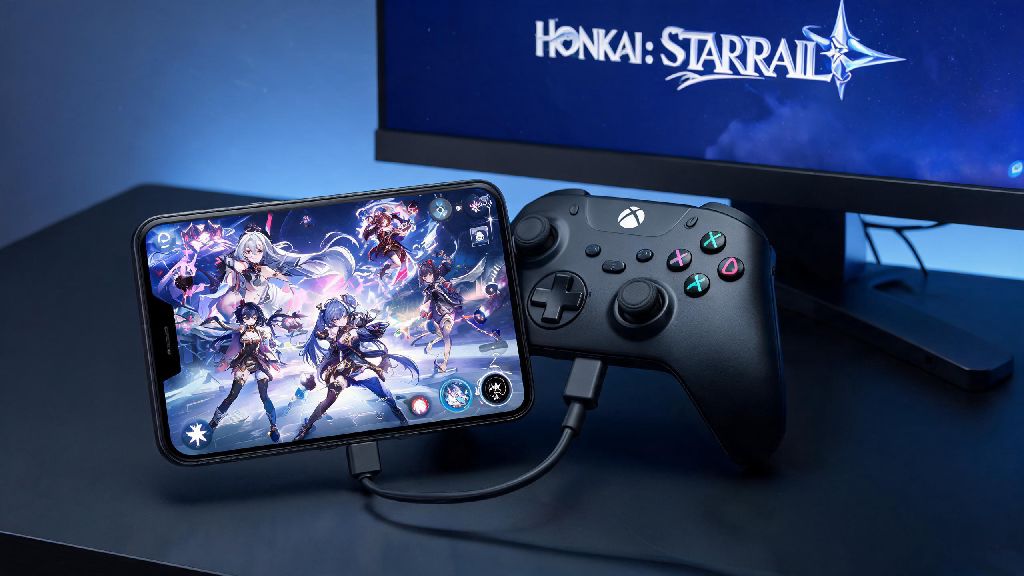
If you’ve spent months grinding for your favorite 5-star characters, clearing all the Simulated Universe worlds, and stacking up Stellar Jade on your mobile Honkai Star Rail account, the last thing you want to do when you get a PS5 is start over from scratch. I’ve been there too: I spent 10 minutes panicking when I first booted HSR on my console, worried I’d lose my E0S1 Jing Yuan I’d saved 3 months to pull. The good news is you don’t have to reroll or abandon your progress. Knowing how to link mobile Honkai Star Rail to PS5 lets you jump between your phone and console seamlessly, with all your data intact. This guide walks you through every step, based on my own experience linking my account last month, plus fixes for the most common errors people run into.
Pre-Requisites to Link Mobile Honkai Star Rail to PS5 Safely
Before you attempt to link mobile Honkai Star Rail to PS5, double check these requirements to avoid wasted time and irreversible mistakes. I made the mistake of trying to link a guest account first, and spent 20 minutes confused why the option was greyed out, so trust me when I say these steps save a ton of hassle. All of these are non-negotiable per HoYoverse’s cross-save rules, so you won’t be able to proceed if any are missing.
- A verified HoYoverse account linked to your mobile Honkai Star Rail profile (guest accounts are not eligible for cross-save, and you can’t convert a guest account after you start playing on PS5)
- The latest version of Honkai Star Rail installed on both your mobile device and PS5, with no pending update prompts. Outdated versions often cause sync errors that look like you lost your progress.
- A PSN account registered to the same region as your HoYoverse HSR account (region mismatches will block linking entirely, and there’s no work-around for this rule)
- No existing Honkai Star Rail save data attached to your PSN account, as linked progress will overwrite any existing console data permanently.
You can check your HSR account region by opening the mobile app, going to your profile, and tapping the “Account” tab. The region is listed right under your HoYoverse ID, so you can cross reference it with your PSN account region in your PS5 settings.
Step-by-Step Walkthrough to Complete the Linking Process
Once you’ve confirmed you meet all the pre-requisites, the actual linking process takes less than 5 minutes. Take it slow, and double check every prompt to avoid linking the wrong account. When you’re ready to link mobile Honkai Star Rail to PS5, follow these steps exactly:
First, boot up Honkai Star Rail on your PS5. When you reach the title screen, don’t select the “Start Game as Guest” option. Instead, pick the “Link HoYoverse Account” button at the bottom of the screen. You’ll see a QR code and a 6-digit alphanumeric code pop up, both valid for 15 minutes. Never share the 6-digit linking code with anyone else, as it gives full access to your HSR account and all linked payment methods.
Next, open Honkai Star Rail on your mobile device. Tap your profile icon in the top left corner, then select “Settings” followed by “Account” and “Link to Console”. You can either scan the QR code from your PS5 screen with your phone’s camera, or manually enter the 6-digit code. Double check that the HoYoverse ID shown on your phone matches the one you use for your mobile HSR account before you tap confirm.
You’ll get a final confirmation prompt on both your PS5 and mobile device, warning you that existing PS5 HSR data will be overwritten. Tap “Confirm” on both devices, then wait for the sync to complete. Do not close either app mid-link, as this can corrupt your save data or cause the link to fail partially. Once the sync is done, close the PS5 app completely and reopen it to load all your mobile progress.
Common Linking Errors and How to Fix Them Fast
Even if you follow every step perfectly, you might run into a few common errors when you try to link mobile Honkai Star Rail to PS5. Most of these have simple fixes, and none of them will cause you to lose your existing mobile progress, so don’t panic if you see an error pop up.
The most common error is the “region mismatch” prompt. This happens when your PSN account is registered to a different region than your HoYoverse HSR account. For example, if your HSR account is on the European server but your PSN is set to North America, the link will be blocked. The only fix for this is to either create a new PSN account registered to the same region as your HSR account, or use a HoYoverse account that matches your PSN region. HoYoverse does not allow cross-region linking for HSR, so there’s no work-around for this rule.
Another common error is the “account already linked” message. This either means your HoYoverse account is already linked to a different PSN account, or your PSN has existing HSR save data attached. If it’s the latter, you can fix this by going to your PS5 storage, finding the Honkai Star Rail save data, and deleting it permanently. If your HoYoverse account is already linked to another PSN, you can’t unlink it, so you’ll have to use a different account for your PS5.
If you complete the linking process but your mobile progress doesn’t show up on your PS5, don’t panic. This is almost always just a sync delay. Close the HSR app on your PS5 completely, wait 2 to 3 minutes, then reopen it. If your progress still isn’t there, double check that you logged into the correct HoYoverse account on your mobile device during the linking process. You will not lose your mobile progress even if the sync fails, as all your data is stored on HoYoverse’s servers, not your local device.
Perks of Linking Your Mobile HSR Account to PS5
Once you link mobile Honkai Star Rail to PS5, you’ll get access to a ton of benefits you can’t get on mobile, without giving up any of the progress you’ve worked so hard for. I switch between my phone and PS5 every week, and I can’t imagine going back to only playing on mobile now.
The biggest perk is the improved performance and graphics. The PS5 runs Honkai Star Rail at 4K 60fps, with no frame drops even during busy boss fights with tons of visual effects. The DualSense controller also has native haptic feedback for skills and attacks, so you’ll feel every hit and ultimate ability as you play, which makes combat way more immersive. You don’t have to deal with overheating phones or dead batteries mid-session either, which is a huge plus for long grinding sessions.
Cross-save syncs in real time, so you don’t have to worry about redoing tasks if you switch devices. For example, if you do your daily quests on your phone during your commute, all that progress will be waiting for you when you boot up your PS5 when you get home. You can pick up right where you left off, no extra steps required. All in-game purchases carry over across both platforms too, so any Stellar Jade, skins, or supply packs you buy on mobile will be available on PS5, and vice versa.
The only real downside to linking your accounts is that you can’t unlink them later. Once you connect your HoYoverse account to your PSN, that link is permanent. If you ever switch PSN accounts for any reason, you won’t be able to move your HSR progress to the new account, so you’ll have to start over if you want to play on the new PSN. That’s why it’s so important to double check you’re using the right accounts before you confirm the link.
The entire linking process takes less than 10 minutes total, even if you have to stop to double check your region settings or update your game. Now that you know how to link mobile Honkai Star Rail to PS5, you can enjoy the best of both worlds: casual play on your phone when you’re out, and high-quality console play when you’re at home, no lost pulls or rerolls required. If you run into any weird issues we didn’t cover here, drop a note in the comments and we’ll help you troubleshoot.