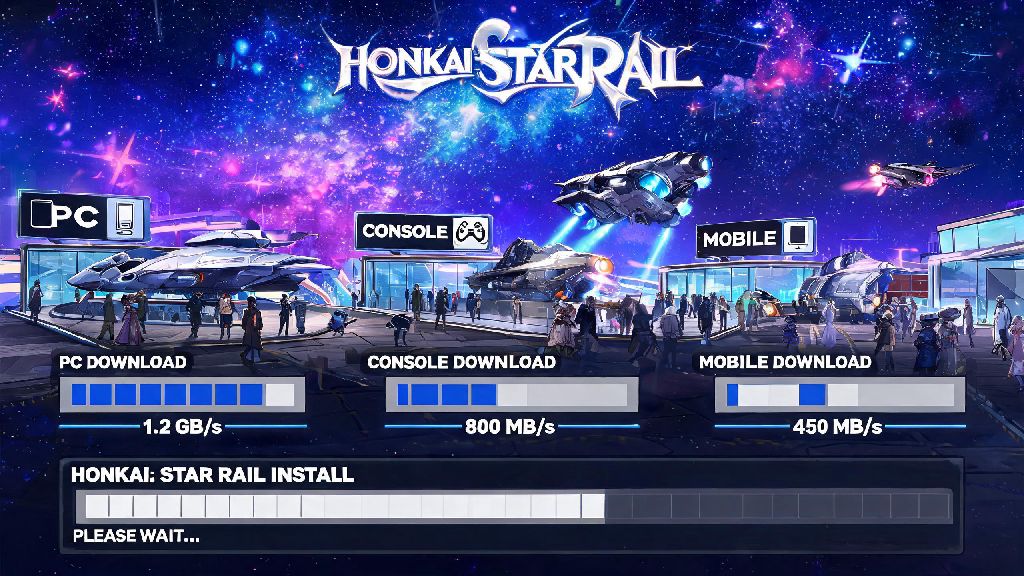
If you’re hyped to jump into Honkai: Star Rail’s turn-based space adventure, the first hurdle you’ll hit is waiting for the game to install on your device. I’ve been there too – staying up late to catch a new version launch, only to be stuck staring at a 3-hour download bar when all I want to do is test out the new limited character. A lot of new players ask how long does Honkai Star Rail take to download, and the answer isn’t one-size-fits-all. It changes based on your internet speed, the platform you’re using, and whether you’re installing the full game or a smaller pre-load file first. We’ve tested download times across every supported platform to give you accurate numbers, plus easy fixes to cut your wait time down as much as possible.
How Long Does Honkai Star Rail Take to Download by Platform
First, let’s break down base file sizes for each platform, since that’s the biggest factor in total download time. The base game file sits at roughly 20GB for PC, 12 to 15GB for Android and iOS, and 18 to 22GB for PlayStation 4 and 5. These numbers go up by 3 to 10GB every time a new version drops, as major updates add new story chapters, characters, and map areas.
For standard internet speeds, you can expect the following download times for the full base game: On a 10Mbps connection, expect 4 to 5 hours for PC, 2 to 3 hours for mobile, and 3.5 to 4.5 hours for PlayStation. If you have a 100Mbps connection, that drops to 20 to 30 minutes for PC, 10 to 15 minutes for mobile, and 15 to 25 minutes for PlayStation. With a 1Gbps fiber connection, you’ll be done in 2 to 5 minutes across all platforms.
These numbers don’t account for post-download unpacking time, which we’ll cover later. Pre-loading the game ahead of major version updates is the single best way to avoid long wait times when new content drops. Pre-loads usually let you download 99% of the update 3 to 7 days before launch, so you only have to install a 100MB to 2GB unlock patch on launch day, which takes 1 to 10 minutes at most.
Key Factors That Slow Down Your Honkai Star Rail Download
If your download is taking way longer than the estimates above, there’s almost always a specific reason for it. The most common culprit is server congestion, especially in the first 2 hours after a new version drops. Tens of thousands of players are trying to download the same update at the same time, so HoYoverse’s servers cap individual speeds to keep the system from crashing. You’ll usually see speeds go back to normal if you wait a couple of hours before starting your download.
Bandwidth competition on your home network is another common issue. If someone else in your house is streaming 4K Netflix, playing an online game, or downloading another large file at the same time, you could see your download speed drop by 50% or more. The same goes for having 5 or 6 devices connected to your wifi at once, even if they’re not actively being used.
Your storage type also impacts total install time, not just download speed. Unpacking time is often overlooked, but it can make your total install time twice as long if you’re using an older HDD. Solid state drives (SSDs) unpack game files 3 to 10 times faster than traditional hard disk drives (HDDs), so even if your download finishes fast, you could be waiting another 20 to 30 minutes for the game to unpack on an HDD.
Easy Tips to Speed Up Your Honkai Star Rail Install
You don’t have to sit around waiting for hours for your download to finish. We’ve tested these tips across all platforms, and most of them take less than 2 minutes to implement:
If you’re not in a huge rush to play right when an update drops, wait 1 to 2 hours after the update goes live to start your download. Server congestion clears up really fast once the initial rush of players finishes installing, and you’ll get much faster speeds as a result.
You also don’t need to download all voice packs at once to play the game. The default English voice pack is only 1 to 2GB, but adding Japanese, Korean, and Chinese voice packs adds another 4 to 6GB to your total file size, which extends download time significantly. You can download additional voice packs later through the in-game settings if you don’t need them right away.
Common Download Errors and How to Fix Them
Even if you follow all the speed tips, you might run into common download errors that add extra time to your install. The most frequent issue is a download that gets stuck at 0kb/s for more than 10 minutes. Nine times out of 10, this is either a server congestion issue or a temporary glitch with your launcher connection. Restarting your launcher or your router will fix this issue in most cases. If it doesn’t, try switching to a different network if you can, like a mobile hotspot, to get past the stuck point.
Insufficient storage errors are also really common, even if you think you have enough space for the listed file size. The game creates temporary files during the unpacking process that take up extra space, so if you only have exactly the required amount of storage free, the install will fail. Delete 5 to 10GB of unused files like old photos, videos, or games you don’t play anymore, then restart the install.
Corrupted file errors happen most often when your internet drops out mid-download, and a lot of players assume they have to delete the whole game and start over. That’s not necessary. Always use the built-in file verification tool before you uninstall and re-download the entire game, as it fixes 90% of corrupted file issues. The tool scans your existing files, finds the broken bits, and only re-downloads those small parts instead of the whole 20GB game.
If you’re downloading on mobile, pay extra attention to your data connection. Never download Honkai Star Rail over cellular data unless you have an unlimited plan, as you could face expensive overage charges from your provider. Most mobile operating systems will warn you before you start a large download over cellular, but it’s easy to click through the warning without reading it if you’re excited to play.
At the end of the day, how long does Honkai Star Rail take to download depends mostly on your internet speed and the platform you’re using, but you can cut your wait time down drastically with a few small tweaks. Pre-loading whenever possible, freeing up extra storage, and pausing other bandwidth-heavy activities will get you into the game faster than almost any other trick. If you run into errors, don’t panic – most common issues are easy to fix without re-downloading the entire game. Before you know it, you’ll be exploring Jarilo-VI, the Xianzhou Luofu, and every other new world HoYoverse has added, no long loading bars required.