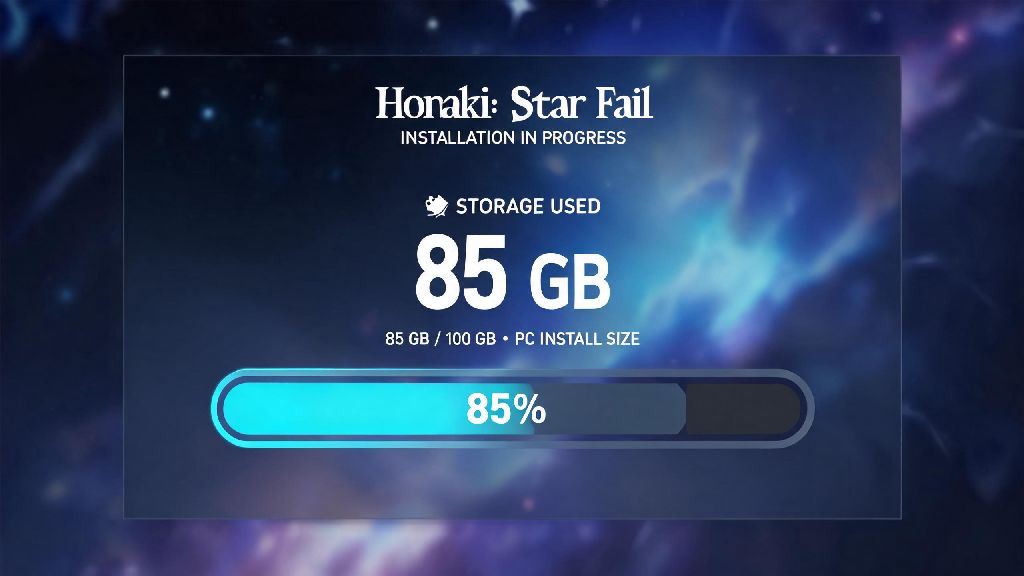
You just watched the trailer for the latest Honkai Star Rail patch, hyped to dive into the new map and pull for the limited 5-star character you’ve been saving Stellar Jade for, but you pause before hitting update. You only have 20GB of free space left on your phone, and you don’t want to get stuck mid-install with no way to play. That’s when you start asking: how much space is Honkai Star Rail actually going to take up on your device, right now, with all the latest updates? Storage requirements shift every few weeks as HoYoverse rolls out new content, so old launch-era numbers are rarely accurate. This guide breaks down current storage needs across every supported platform, explains why the game gets bigger over time, and shares easy fixes if you’re running low on space.
How Much Space Is Honkai Star Rail Required Across All Platforms?
Storage needs vary a lot depending on what device you play on, and the initial download size listed on app stores is almost never the final total you’ll end up with. The numbers below reflect the full install size as of the latest version of the game, including all standard assets you’ll need to play through all current story content.
For PC players, the official minimum listed storage requirement is 20GB, but that number is outdated from the game’s 2023 launch. Right now, a full standard install with default settings sits at around 26GB. If you opt for the optional 4K texture pack and high-resolution audio pack for better visual and audio quality, that total jumps to 34GB. You should always leave at least 10GB of extra free space on your drive for future patches, which usually add 2-4GB each every six weeks. I learned this the hard way last year, when I tried to install a 3GB patch with only 4GB of free space left on my SSD, and the install corrupted half my game files forcing a full reinstall.
Mobile players have even more variance in install size. For Android users, the initial download from the Google Play Store is only 3GB, but you’ll have to download an extra 15GB of in-game resources when you first launch the app, bringing the total to 18GB for a standard install. iOS users see a similar split: the App Store lists the game at 4GB, but the full post-launch resource download brings the total to 19GB for default settings. If you enable high-res assets on a flagship phone, you can add another 4-6GB to that total, so aim for at least 25GB of free space before you download the game on any mobile device.
PS5 players have the most fixed install size, since high-res assets are pre-loaded by default for console play. Right now, the full Honkai Star Rail install on PS5 sits at 31GB, with patches adding 2-3GB each time. You’ll want at least 40GB of free space on your console storage to avoid update errors, since console patches often require extra temporary space during installation.
Factors That Increase Honkai Star Rail's Storage Footprint Over Time
The initial install size isn’t the final number you’ll deal with long term. I’ve had the game installed on my phone for 18 months, and its size has nearly doubled since I first downloaded it, even though I never enabled high-res assets. A lot of hidden factors add to the game’s storage usage over time that most players don’t notice until they get a “storage full” alert mid-patch.
- Major version updates: Every six weeks, HoYoverse releases a new patch with new explorable maps, character story quests, animated cutscenes, and event assets that add 2-4GB of permanent storage usage each time. Large expansion patches, like the Penacony launch update, can add up to 6GB of new content at once.
- Optional high-res asset downloads: You can opt to download 4K cutscenes, high-resolution character models, enhanced audio files, and alternate language voice packs that add up to 12GB of extra storage total. Many high-end phones automatically enable high-res assets on first launch, so you might have these installed without even realizing it.
- Cache and temporary files: The game stores login data, recent cutscene previews, event assets, and temporary update files in your device’s cache. These files build up over time, and can take up 2-3GB of extra space after a few months of regular play if you never clear them out.
- Leftover patch files: When you install a new update, the game often leaves old, unused patch files on your device that don’t get deleted automatically. These leftover files can build up to 4-5GB of wasted space after six months of regular updates.
Most players don’t realize that if you switch between different language dubs even once, the game will keep the voice pack for that language installed unless you manually delete it. I tried the Japanese dub for a month last year then switched back to English, and I didn’t notice the 2GB Japanese voice pack was still taking up space on my phone until I checked the resource menu a few months later. You don't need to download high-res assets if you're playing on a mobile device with a 1080p or lower screen, since you won't be able to tell the difference in visual quality anyway.
Easy Ways to Reduce Honkai Star Rail Storage Usage Without Losing Progress
You don’t have to delete all your photos or uninstall other games to make space for new Honkai Star Rail updates. There are a few simple tweaks you can make to cut the game’s storage size by 20-30% without touching your saved progress or custom settings, since all your account data is stored on HoYoverse’s cloud servers.
The easiest fix is to delete unused assets through the in-game resource manager. You can find this menu under Settings > Resources > Resource Management, and it lets you sort all installed assets by type and how often you use them. You can safely delete cutscenes from old patches you already completed, voice packs for languages you don’t use, and high-res texture or audio packs you don’t need. Deleting old event cutscenes alone can free up 3-5GB of space immediately, and you can always re-download them later if you want to rewatch.
Another quick fix is to clear the game’s cache regularly. On mobile, you can clear the cache through your device’s app settings menu, and this won’t delete any of your game data or installed assets. On PC, you can delete temporary cache files from the game’s installation folder to free up extra space. Never delete the main game folder unless you want to reinstall the entire game from scratch, since this will remove all your installed assets and you’ll have to re-download everything.
If you’ve had the game installed for more than six months, the most effective way to cut storage usage is to do a fresh reinstall. Leftover patch files and unused assets build up over time that you can’t delete through the in-game resource manager, and a fresh install removes all of these automatically. I did this on my phone a few months ago, and the game’s total size dropped from 27GB to 19GB immediately, with no missing content or progress. Make sure you have your account linked to an email or social media before you uninstall, so you don't lose access to your progress when you reinstall.
If you play on both PC and mobile, you can also pick and choose which assets to install on each device. I keep high-res textures and audio enabled on my PC, where I have plenty of space, but I keep all optional assets disabled on my phone to save storage for other apps and photos.
What to Do If You Don't Have Enough Space for Honkai Star Rail
If you’ve already deleted all unused assets and cleared your cache, and you still don’t have enough space for the latest update, you have a few other options that don’t require giving up the game entirely.
For Android users with expandable storage, you can move the full game install to an SD card to free up space on your device’s internal storage. Not all Android devices support this feature, and you may notice slightly longer load times when running the game off an SD card, but it’s a solid option if you have a high-speed microSD card lying around. iOS users don’t have this option, since Apple doesn’t allow expandable storage on iPhones.
You can also use the official Honkai Star Rail cloud streaming app, which is available in most regions now. The streaming app only takes up 500MB of space on your device, and you can play the full version of the game with all your existing progress, no full download required. The only catch is that you need a strong 5G or Wi-Fi connection to avoid lag or input delay, and you may have to wait in a short queue during peak play hours. Cloud streaming is a great option for players who only play occasionally and don't want to dedicate 20+GB of space to the game. I used the cloud app for three months last year when I had an old phone with only 16GB of total storage, and it worked perfectly fine as long as I was on my home Wi-Fi.
If you want to keep the full game installed locally, you can also prioritize which other files to delete to free up extra space. Old photos and videos you’ve already backed up to the cloud, apps you haven’t opened in more than six months, and other game installs you haven’t played in months are all good candidates for deletion. PC players can also install the game on a cheaper HDD instead of their SSD to save SSD space for other games, though you will notice longer load times for maps and cutscenes.
At the end of the day, how much space is Honkai Star Rail going to take up depends mostly on what platform you play on and what extra assets you choose to download. You can easily keep the install size under 20GB on mobile and under 30GB on PC if you skip optional high-res assets and clean up old files regularly, even after two years of content updates. Always leave 10GB of extra free space on your device before a new patch drops, so you don’t have to scramble to delete files right when the update goes live. Now that you know exactly how much space you need, you can go ahead and install that new patch without worrying about getting stuck mid-download.