There’s no worse feeling as a Honkai Star Rail player than dumping dozens of warps into a limited banner, only to realize you were 10 pulls away from pity on a different character you wanted more. I’ve made that exact mistake before, and it cost me months of saved Stellar Jade just because I didn’t take two minutes to verify my pull counts. If you want to avoid that frustration, learning how to check pity in Honkai Star Rail is one of the most important skills you can pick up as a new or returning player. This guide will walk you through exactly how to track your pity, avoid common mistakes, and use that data to get every unit you’ve been waiting for.
How to Check Pity in Honkai Star Rail In-Game (No Extra Tools Required)
You don’t need any fancy third-party apps to track your pity, because the game keeps all your pull records built right in. The process takes less than a minute once you know where to look, and it’s the most accurate source of data available. Always rely on in-game records first before making any decisions about pulling on a new banner, since external tools can sometimes have gaps or errors.
Here’s the exact step-by-step process: first, open the main menu and tap the “Warp” icon to open the banner screen. Look for the small “Records” button in the bottom right corner of the screen, right next to the “Details” button. Tap that, and you’ll see a full list of all your recent pulls, sorted by date.
You’ll see tabs at the top of the records screen for each banner type: limited character event, limited light cone event, standard warp, and newbie warp. Pity counters are completely separate for each of these banner categories, so make sure you tap the right tab for the pity count you want to check. Once you’re on the correct tab, scroll through your pull history and count how many pulls have passed since your last 5-star drop. That number is your current pity count.
One thing to note: in-game records only show pulls from the last 6 months. If you haven’t pulled on a specific banner type in longer than that, you might not see your old 5-star drops in the list. If that’s the case, you can either track your pulls manually going forward, or use a trusted third-party tool to fill in the gaps.
Common Mistakes to Avoid When Tracking Your HSR Pity
Even if you know how to pull up your pull records, it’s easy to make small mistakes that throw off your pity count entirely. I’ve seen dozens of players accidentally waste their pity because they skipped one small detail when checking their records. These are the three most common mistakes you should watch out for:
- Mixing up limited banner pity counters: A lot of new players assume pity resets every time a new limited character banner drops, but that’s not true. Pity for limited character banners carries over between all limited character events, so if you had 60 pulls on the last limited banner without a 5-star, that count will carry over to the next one. The same rule applies for limited light cone banners, but character and light cone pity never cross over.
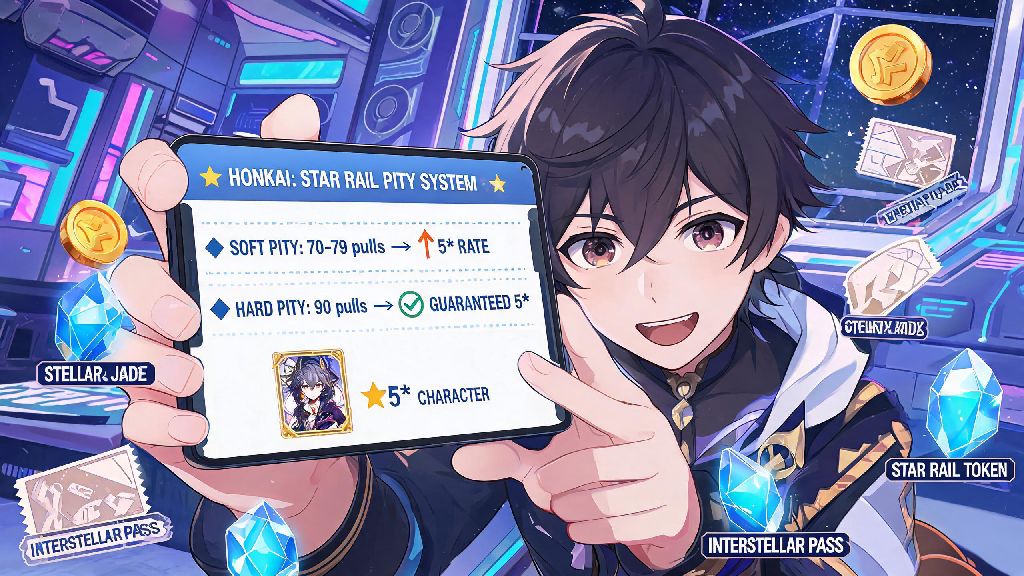
- Forgetting about soft pity thresholds: Most players know hard pity for 5-star characters hits at 90 pulls, but your odds of getting a 5-star start spiking much earlier. Soft pity for 5-star characters starts at 74 pulls, and almost all players will get a 5-star between 74 and 80 pulls, so you don’t need to save all the way to 90 to guarantee a drop.
- Ignoring your 50/50 status: When you get a 5-star on a limited character banner, there’s a 50% chance it’s the featured limited unit, and a 50% chance it’s a standard 5-star. If you lose that 50/50, your next 5-star on the limited character banner is 100% guaranteed to be the featured unit. If you forget you already lost a 50/50, you might underestimate how many warps you need to get the character you want.
It only takes an extra 10 seconds to double-check these details when you’re looking at your pull records, and that small effort can save you from wasting hundreds of Stellar Jade on pulls you don’t actually want to make.
Should You Use Third-Party Pity Trackers for Honkai Star Rail?
A lot of players prefer using third-party pity trackers instead of counting their pulls manually every time, and that’s totally fine if you pick a safe, trusted tool. These tools automatically pull your pull history from the game’s public API, so you don’t have to count pulls yourself, and most of them will also track your 50/50 status, calculate how many pulls you can earn before a banner ends, and send you reminders when you’re close to pity.
That said, there are some risks you need to be aware of before you use any external tracker. Never share your full account login credentials with any third-party tool, no matter how legitimate it looks. Trusted trackers only require you to paste a temporary API link from your game’s pull history page, which doesn’t give them access to your account or any personal data beyond your pull records.
I use a third-party tracker myself for convenience, but I always cross-check the numbers with the in-game pull records before I spend any Stellar Jade on a new banner. Sometimes the API lags, or the tracker misses a few recent pulls if you’ve been pulling right before checking. It’s always better to confirm with the official source instead of relying entirely on an external tool.
How to Use Your Pity Data to Plan Your Warps Better
Once you know your exact pity count, you can make way smarter decisions about when to pull and when to save your Stellar Jade. A lot of players just pull on every banner that looks interesting, but a little planning can make sure you never miss a character you’ve been waiting for.
If you’re close to pity on the current limited banner, first ask yourself if you actually want the featured character or light cone. If you’re at 70 pulls and don’t care about the current featured unit, stop pulling immediately. You could accidentally hit soft pity and get a 5-star on a banner you don’t want, which would reset your pity count for the next limited character you actually do want.
If you’re saving for an upcoming banner, calculate how many Stellar Jade you can earn between now and when that banner drops. Include daily rewards, event rewards, simulated universe clears, and any new story content you haven’t completed yet. If your current pity count plus the number of pulls you can earn before the banner ends adds up to 90, you’re guaranteed to get that character if you hit pity, even if you lose the 50/50. If it doesn’t add up, you might want to skip the current banner entirely to save up.
For players who only spend a small amount of money on the game, pity tracking is even more important. You don’t have extra cash to spend on extra warps if you miscalculate, so taking two minutes to check your pity before you pull can make sure you get the most out of every dollar you spend.
At the end of the day, the gacha system in Honkai Star Rail doesn’t have to be a stressful guessing game. Once you know how to check pity in Honkai Star Rail, you can take full control of your warp spending, avoid wasting resources, and make sure you get every character and light cone you’ve been looking forward to. I still double-check my pity count every single time a new limited banner drops, and I haven’t missed a character I wanted since I started that habit. Take two minutes to check your records next time you’re about to pull, and you’ll save yourself a lot of frustration down the line.