If you’ve seen clips of Honkai Star Rail’s flashy turn-based combat, quirky characters, and sprawling interstellar story online, you’re probably ready to jump in yourself. The first step to exploring the Astral Express is figuring out how to download honkai star rail, and I’m here to break the process down so you don’t waste time fumbling with fake links or faulty installs. I’ve downloaded the game on four different devices over the past year, and even helped three of my friends install it on their old laptops, so I’ve tested every workaround for common errors out there.
How to Download Honkai Star Rail for Every Supported Platform
The process varies slightly depending on what device you’re using, but the core rule stays the same across all platforms: always use official sources to get the game client. Never use third-party mirror sites to download the game client, because they often come with malware, modified files, or hidden keyloggers that can get your account banned or steal your personal information.
For PC users, head to the official Hoyoverse website, find the Honkai Star Rail download page, and click the PC download button. Run the installer file once it finishes downloading, and follow the on-screen prompts to choose an install location. The launcher will automatically fetch the latest game files after installation, so you don’t have to download separate patches manually.
For Android users, you can download the game either from the Google Play Store or the official Hoyoverse site. The official site version links directly to your HoYoLab account by default, while the Play Store version lets you log in with your Google account if you prefer. For iOS users, the only official source is the Apple App Store; sideloading the game from external sites violates Hoyoverse’s terms of service and can lead to a permanent account ban. PS5 users can find the game for free on the PlayStation Store, and download it directly to their console storage. If you’re looking for how to download Honkai Star Rail for a region that’s not your own, you’ll need to make sure you’re accessing the correct regional version of the official site, but be aware that cross-region play support is limited.
Pre-Download Checks to Avoid Installation Headaches
Before you hit the download button, take two minutes to run through these quick checks to save yourself hours of frustration later. I skipped one of these checks once when I tried to install the game on an old Android 9 phone, and it crashed every time I tried to launch the opening cutscene, so I can promise these are worth the time.
- At least 20GB of free storage space on your device, plus an extra 5GB of temporary space for post-install patches and updates that drop every six weeks
- A stable internet connection with at least 10Mbps download speed to avoid corrupted files mid-download; public Wi-Fi networks often have spotty connections that cause partial downloads
- Updated operating system: Windows 10 64-bit or later for PC, Android 10 or later, iOS 16 or later, and the latest PS5 system software for console users
- Access to a valid HoYoLab account if you want to use cross-save across multiple devices, instead of starting fresh on every platform
If you have limited mobile data, you can download the base game first and then download voice packs separately later, instead of grabbing all four language packs at once. That saves a ton of space and data, especially if you only plan to use one language for character lines. You can uninstall unused voice packs later from the in-game settings menu if you change your mind about which language you prefer.
Common Download Errors and How to Fix Them Fast
Even if you follow all the pre-checks, you might run into a few common errors that most new players face. Most of these have super simple fixes, so you don’t have to panic if your download stops or throws an error code.
The most common error is the download getting stuck at 99% for what feels like forever. That’s usually not a bug at all; the installer is just verifying all the downloaded files to make sure none are corrupted. Wait 5 to 10 minutes first, and if it still doesn’t move, pause and resume the download instead of closing the installer entirely. Closing it mid-verification can corrupt existing files, meaning you’ll have to start the whole download over.
Another common error is the “insufficient storage” warning popping up even when you know you have enough space. That happens because the installer needs extra temporary space to unpack compressed files during installation. If you see this error, delete 2 to 3GB of extra unused files (like old photos or unused apps) and try again. Link your HoYoLab account to your console profile before you launch the game for the first time if you want cross-save access; if you start playing on PS5 before linking your account, you won’t be able to transfer that progress to PC or mobile later. If you keep getting corrupted file errors, reset your router or switch to a wired connection if you’re on PC, that fixes 90% of download-related issues I’ve run into.
First Steps After You Finish Downloading the Game
Once the download and installation are fully complete, you don’t have to jump straight into gameplay right away. Taking 5 minutes to adjust a few settings first will make your first few hours of play way smoother, especially if you’re on a lower-end device.
First, open the settings menu and adjust your graphics settings to match your device’s capabilities. If you’re on a mid-range phone, turn off anti-aliasing and lower shadow quality to get 60fps performance without losing too much visual detail. If you’re on a high-end PC or flagship phone, you can crank all settings to max for the full cinematic experience the devs intended.
Next, open your in-game mail to claim all new player rewards and pre-registration gifts if you signed up before the latest update dropped. These gifts give you enough premium currency to pull for a 5-star character early on, which makes the early game much easier. Don't forget to enable two-factor authentication on your HoYoLab account before you spend any money on in-game purchases, to prevent unauthorized access to your account. If you’re completely new to turn-based games, take the short tutorial slowly; it teaches you all the core combat mechanics you’ll need to beat harder content later on.
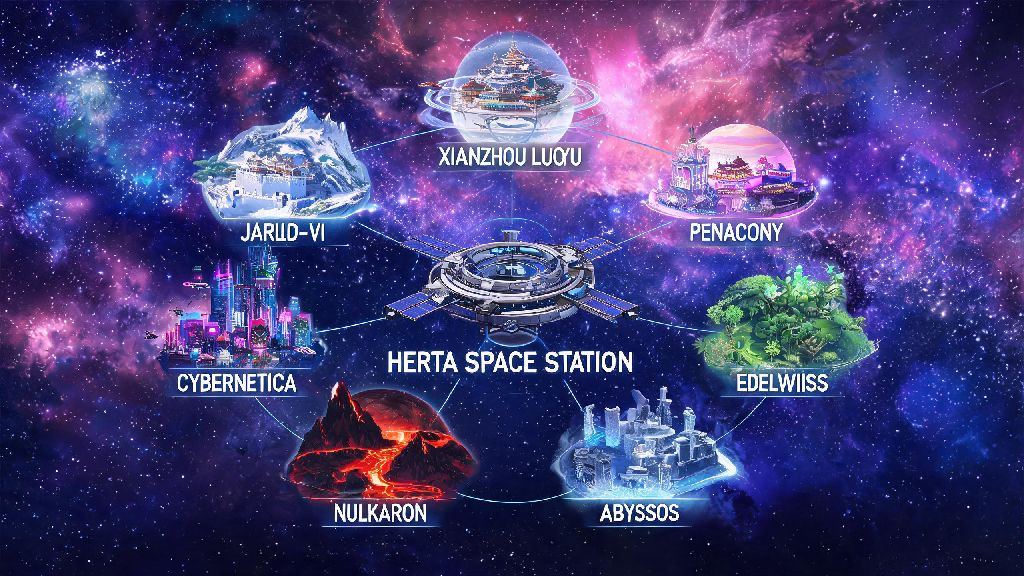
At the end of the day, figuring out how to download honkai star rail doesn't have to be complicated if you stick to official sources and follow the pre-checks I laid out. You'll be exploring Herta Space Station and beating your first Simulated Universe runs before you know it. If you run into any rare issues I didn't cover, you can check the official HoYoLab forums for the latest troubleshooting tips from the community and dev team. Happy trailblazing!