I remember when I first downloaded Honkai Star Rail on my PS5, I panicked when I saw the new account prompt. I’d spent almost six months building my account on mobile, and there was no way I was going to re-farm all my relics and limited 5-star characters from scratch. That’s when I figured out the account linking process, and it was way simpler than I expected. If you’re in the same boat, knowing how to link PSN to Honkai Star Rail will let you pick up exactly where you left off on your PlayStation console, plus unlock a handful of exclusive perks you can’t get anywhere else. This guide walks you through every step, fixes common errors, and breaks down all the fine print you need to know before you start.
How to Link PSN to Honkai Star Rail: Exact Steps for PS5 and PS4
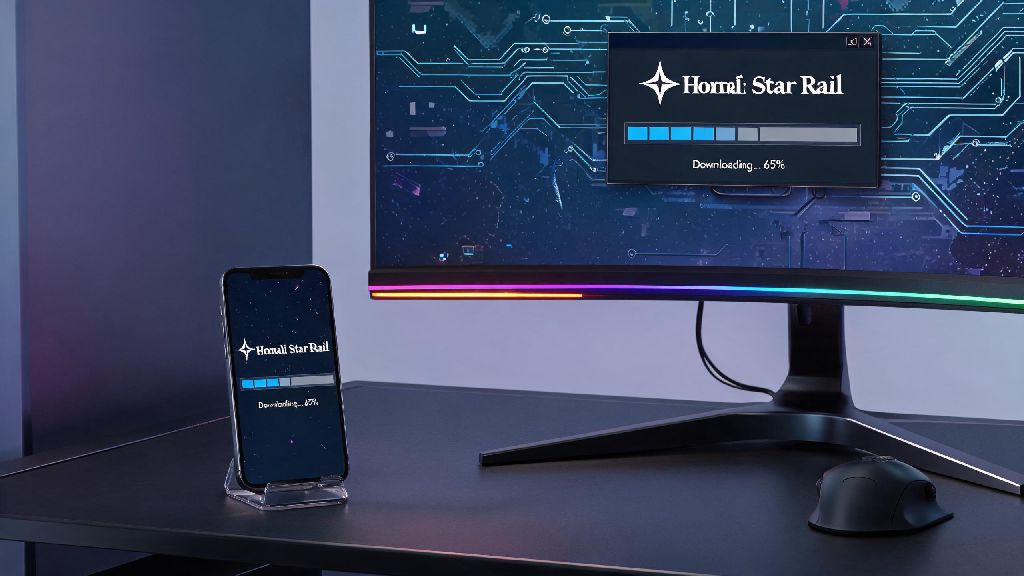
Before you start the process, make sure you have access to both your existing HoYoverse/Honkai Star Rail account and the PSN profile you want to link. You’ll also need a stable internet connection, and you should have the latest version of Honkai Star Rail installed on your PlayStation console to avoid compatibility issues.
First, turn on your PlayStation console and log into the PSN profile you want to link. Open Honkai Star Rail from your game library, and wait for the title screen to load. You’ll see a prompt that asks if you want to create a new account or link an existing one. Select “Link Existing Account” to move forward.
You’ll be given a unique QR code and a 8-digit verification code that expires after 15 minutes. Grab your mobile device or PC that’s logged into your existing Honkai Star Rail account, go to the official HoYoverse account linking page, and enter the verification code, or scan the QR code directly from the game. Double check that you are logged into the correct Honkai Star Rail account before entering the code, as mistakes can’t be reversed later.
Once you enter the code, you’ll see a confirmation screen that lists both your PSN ID and your Honkai Star Rail UID to verify the match. Confirm the link, and wait 30 to 60 seconds for the system to sync your data. Restart the game on your PlayStation, and you’ll see all your existing progress, characters, and items loaded directly into the console version. You will only have one chance to confirm the link, so do not rush through the prompts even if you’re excited to jump into the game.
Key Benefits of Linking Your PSN Account to Honkai Star Rail
A lot of players skip the linking process because they think it’s only for cross-save, but there are actually a handful of perks you get just for connecting your accounts. Most of these rewards are permanent, and you won’t be able to claim them if you choose to make a separate account for PlayStation instead of linking.
- Full cross-save functionality across mobile, PC, and PlayStation consoles, so you can switch between devices whenever you want without losing progress
- Exclusive PlayStation-themed rewards, including a free 4-star physical character, a limited-edition avatar frame, and 100 free Stellar Jade
- Sync of all in-game purchases, battle pass progress, and event rewards across all devices, so you don’t have to re-buy battle passes or premium currency when you switch platforms
- Access to PlayStation-exclusive limited-time events and giveaways, including occasional free warp tickets and in-game cosmetics only available to PSN-linked accounts
One thing to note is that the free 4-star character reward is only available to accounts that link PSN for the first time, even if you unlink and relink later you won’t be able to claim it a second time. I claimed mine last year, and it’s been a great addition to my physical damage teams for forgotten hall runs. The exclusive PlayStation 4-star character is only available for a limited time to new linking users, so don’t miss out on this free reward if you don’t already have them on your account.
Common Issues When Linking PSN to Honkai Star Rail and Fixes
Most players will go through the linking process without any problems, but there are a few common errors that pop up for around 10% of users based on community reports. None of these issues are permanent, and most can be fixed in a few minutes without contacting support.
The most common error is the “account already linked” prompt. This usually happens if you previously linked a different Honkai Star Rail account to your PSN profile, or if you accidentally entered the wrong UID when you set up the link. To fix this, double check that you’re logged into the correct HoYoverse account on your mobile/PC, and make sure you haven’t linked another PSN profile to that Honkai Star Rail account in the past.
Another common issue is progress not syncing after you complete the link. If you open the game on PlayStation and only see a new account, don’t panic. This usually happens if the sync process is delayed because of server traffic. First, restart the game on your PlayStation, then log out of your Honkai Star Rail account on your other device and log back in. Wait 2 to 3 minutes, and your progress should load automatically. If you encounter an unresolvable linking error, reach out to HoYoverse customer support with your account UID and PSN ID for faster resolution, as they can manually fix most linking issues within 24 hours.
You might also see a “code expired” error if you take too long to enter the verification code. Just go back to the title screen on your PlayStation and generate a new code, they refresh every 15 minutes so you don’t have to wait long to try again.
Important Rules to Know Before You Link Your Accounts
There’s a lot of fine print attached to account linking that most players don’t find out about until it’s too late, so we’ve broken down the most important rules to remember before you start the process. These rules are set by HoYoverse and can’t be bypassed, so make sure you read them carefully before you confirm your link.
First, account links are permanent. Once you connect a PSN profile to a Honkai Star Rail account, you can’t unlink them later or connect that same PSN profile to a different Honkai Star Rail account. That means if you accidentally link a throwaway PSN profile to your main HSR account, you’ll never be able to link your main PSN profile to that HSR account, so double check everything before you confirm.
Second, region restrictions apply. Your Honkai Star Rail account region has to match your PSN account region exactly, otherwise you won’t be able to link them at all. For example, if your HSR account is on the North America server, your PSN profile has to be set to the North America region too. If you have a European PSN profile, you can only link it to a European HSR server account. Region mismatches are the top reason for failed linking attempts, so verify your account regions before you start to save yourself time.
Third, all in-game purchases sync across all devices, but some platform-specific restrictions apply. Any Stellar Jade or paid items you buy on PlayStation will work on your mobile and PC accounts, and vice versa, but refund policies are tied to the platform you made the purchase on. If you buy a battle pass on PlayStation, you have to request refunds through Sony, not HoYoverse, even if you use the battle pass on other devices.
If you’ve been holding off on trying Honkai Star Rail on PlayStation because you didn’t want to lose your existing progress, you don’t have to wait any longer. Taking the time to learn how to link PSN to Honkai Star Rail only takes a few minutes, and it unlocks way more flexibility for how and where you play. Just follow the steps we laid out, double check your account details and regions, and you’ll be jumping back into your trailblazing journey on PS5 in no time, with all your favorite characters and items right where you left them. Don’t forget to claim your free PlayStation exclusive rewards once you’re logged in, they’ll be waiting for you in your in-game mail immediately after the link is complete.