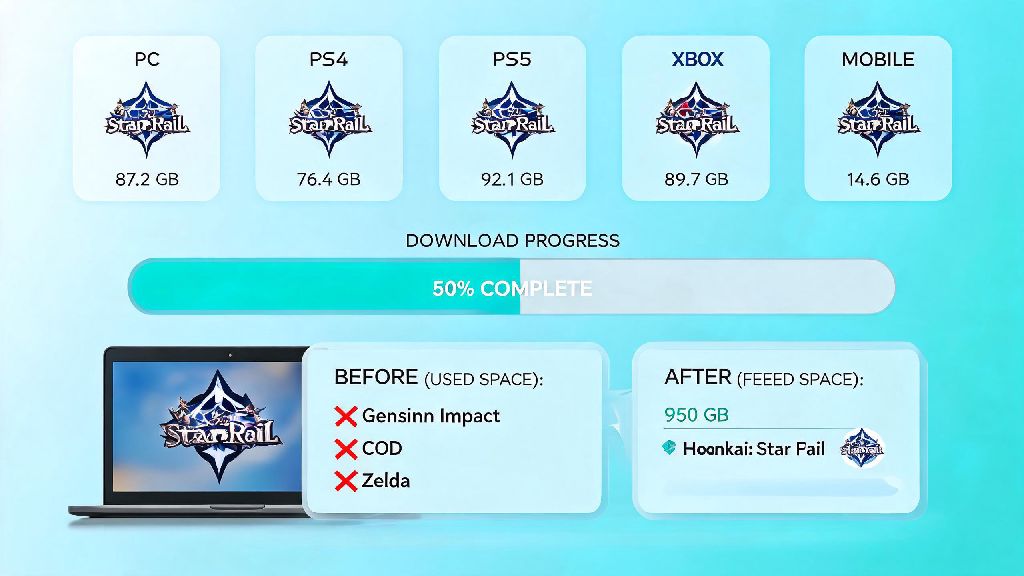
If you’ve ever sat down to download a new gacha game only to hit a storage error halfway through, you know how frustrating that is. Last week, I tried to help my little brother install Honkai Star Rail on his old gaming laptop, and he swore the download would only take 20GB. Spoiler: it didn’t, and he had to uninstall three old indie games to make room. That’s why so many players ask how many gigabytes is honkai star rail before they hit that download button, especially if they’re working with limited storage on a phone or budget laptop.
How Many Gigabytes Is Honkai Star Rail Across All Major Platforms?
The exact file size changes every few months with version updates, but we’ve pulled the latest numbers from official patch notes and real-world user downloads across every supported platform. Keep in mind these numbers include the base game and all mandatory content, but not optional add-ons like extra language packs or high-resolution texture packs. If you’re still wondering how many gigabytes is Honkai Star Rail for your specific device, you can also check the official app store listing for the latest numbers before you download.
PC (Windows) currently requires between 75GB and 85GB of free storage for a full installation. If you opt for the 4K texture pack for high-end monitors, that can add an extra 10GB to the total, so plan for at least 100GB of free space if you want the highest visual settings. You’ll also need extra room for temporary installation files, so don’t cut it too close with only 75GB free.
iOS devices have a much smaller footprint, ranging from 22GB to 28GB for a full install. The size varies a bit depending on your iPhone or iPad model, as newer devices get higher-resolution assets automatically. If you have an older device with only 64GB of total storage, you’ll want to clear out old photos or unused apps first to make room.
Android devices sit right around the same range as iOS, with file sizes between 20GB and 26GB. Cheaper Android phones often get compressed asset packs by default, so you might see a smaller total size if you’re not using a flagship device. Just make sure you’re downloading the game from the official app store to avoid corrupted, oversized files from untrusted sources.
PlayStation 5 users can expect a file size between 65GB and 75GB for the full game, including all next-gen texture and audio upgrades. The PS5’s compression technology helps cut the size down a bit compared to PC, but you’ll still want to leave extra room for regular 5GB to 15GB version updates every six weeks.
It’s also worth noting that these numbers are for a fresh install. If you’ve had the game installed for a year or more, you might have a larger total file size from accumulated extra content, which we’ll cover next.
Why Honkai Star Rail’s File Size Grows So Much Over Time
You might install Honkai Star Rail at 70GB on PC one month, then six months later notice it’s taking up 95GB of space with no obvious changes. That’s totally normal for live service gacha games, and there are a few common reasons for the steady growth.
Most of the extra space comes from regular content updates, but there are other hidden factors you might not notice. We’ve broken down the most common causes of bloat below:
I made this mistake myself last year when I downloaded the Japanese, Korean, and Chinese voice packs just to listen to my favorite characters’ lines in different languages. I forgot I had them installed until I was cleaning out my storage, and they were taking up 13GB of extra space on my PC.
That means even if you don’t change any settings, you can expect the game to grow by 30GB to 40GB every year as new versions roll out. It’s a good idea to check the file size every few months to make sure it’s not taking up more space than you can spare.
Easy Tips to Reduce Honkai Star Rail’s Storage Footprint
You don’t have to uninstall the game entirely if it’s taking up too much space. There are a handful of simple tweaks you can make to cut the file size by 10GB to 25GB without losing any core gameplay functionality.
First, delete unused language voice packs directly from the in-game settings menu. You don’t have to manually dig through game files to do this, which eliminates the risk of deleting something important. Just go to the Settings tab, select Language, and delete any voice packs you don’t use regularly. Most players only need one language, so this can save you 10GB or more instantly.
Second, clear your in-game cache every 2-3 months to get rid of old event assets, temporary cutscene files, and unused screenshot data. You can do this from the in-game settings menu too, and it won’t delete any of your save data or progress. I do this every time a new version drops, and it usually frees up 2GB to 5GB of space for me.
If you’re playing on PC, you can also skip the 4K texture pack if you don’t have a 4K monitor. Most people play on 1080p or 1440p monitors, and the standard texture pack looks almost identical at those resolutions. Skipping the 4K pack can save you another 8GB to 10GB of space right away.
For mobile players, you can opt for the compressed asset pack during installation if you have a lower-end device. The visual difference is barely noticeable on small phone screens, and it can cut the file size by 3GB to 5GB compared to the high-resolution asset pack.
Just don’t try to delete random files from your game folder to save space. That can cause the game to crash during loading screens or corrupt your save data entirely, which will force you to redownload the whole game anyway.
What to Do If You Still Don’t Have Enough Storage for Honkai Star Rail
If you’ve tried all the tips above and still don’t have enough space to install or update Honkai Star Rail, there are a few more workarounds you can try before you give up or uninstall other games you love.
For PC and PS5 users, the easiest fix is to use an external SSD with at least 100GB of free space to install the game. External SSDs are cheap these days, and you can pick up a 256GB model for less than $30. Honkai Star Rail loads almost just as fast from an external SSD as it does from an internal one, so you won’t notice any performance hit.
But don’t install the game on an old HDD if you can avoid it. HDDs are much slower than SSDs, and you’ll face super long loading screens, constant stuttering during cutscenes, and even crashes when you enter new maps. It’s worth spending a little extra on an SSD if you can.
For mobile users, you can move the Honkai Star Rail app to an SD card if you have an Android device that supports expandable storage. Just keep in mind that some newer Android versions restrict app performance on SD cards, so you might see slightly longer load times. If you have an iPhone, you don’t have this option, so you’ll have to delete old apps or files to make room.
You can also temporarily uninstall other large games you haven’t played in months to make room for a new Honkai Star Rail update. I usually do this when a big version drops, and I just reinstall the other games later when I have more free space. It’s a little inconvenient, but it beats missing out on new story content or limited-time events.
Whatever you do, don’t cancel an update halfway through because you ran out of space. That can corrupt your existing installation, and you’ll have to redownload the entire game instead of just the update patch. Always check the required storage space for an update before you hit install.
At the end of the day, planning ahead is the best way to avoid storage headaches when playing Honkai Star Rail. Knowing how many gigabytes is honkai star rail for your specific platform, plus how much extra space you’ll need for future updates, can save you a ton of frustration when you’re eager to jump into a new version. If you do run out of space, the small tweaks we covered here can free up more than enough room to keep playing without sacrificing your favorite parts of the game.